
YouTube is the world’s largest video platform, and many users want to take their favourite content offline. Whether it is a music track, a podcast, or an educational lecture, having an MP3 file to listen to on the go is incredibly appealing. This demand has given rise to countless “YouTube to MP3” converters, and one of the most recognisable names in this space is YTMP3.
However, while tools like YTMP3 offer a free and simple solution, they come with significant caveats. They operate in a legal grey area, frequently violate YouTube’s terms of service, and, as cybersecurity experts and even the FBI have warned, they pose serious security risks to users .
This comprehensive guide breaks down everything you need to know about YTMP3 and similar converters, explaining how they work, the dangers they present, and, crucially, the legal alternatives available for anyone who wants to enjoy YouTube audio offline.
What is YTMP3?
A Popular YouTube to MP3 Converter
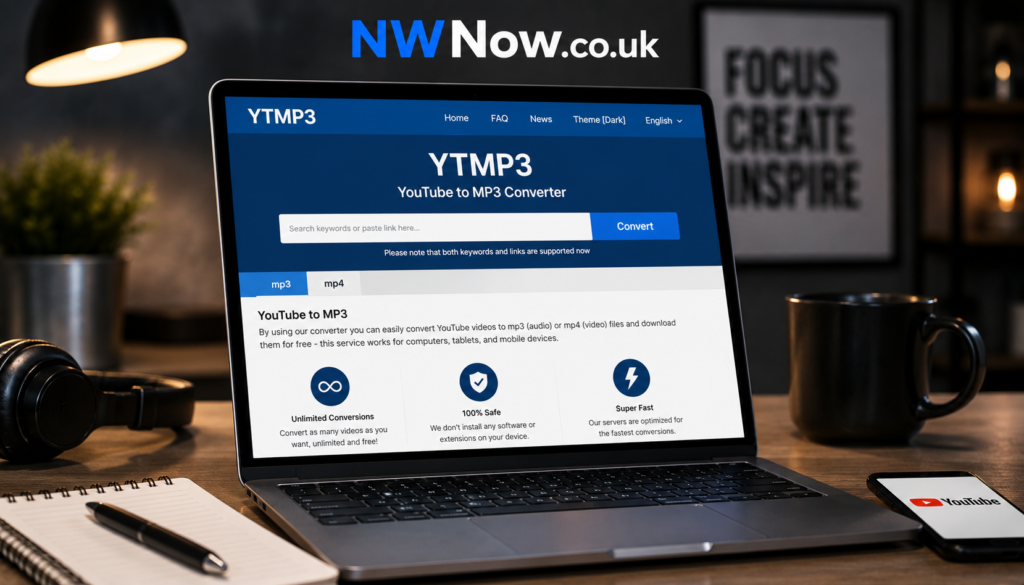
YTMP3 is a free online service that allows users to convert YouTube videos into downloadable MP3 audio files . The process is simple: you paste a YouTube video link into the converter, select the desired quality, and the service extracts the audio for you to save to your device.
The YTMP3 brand is not limited to a single website. Variations like ytmp3.cc, ytmp3.nu, and others have existed. One description refers to it as “a top-tier YouTube converter” that “makes turning YouTube videos into MP3 easy for anyone to download high-quality audio and video” . The service is marketed for its convenience, allowing users to “listen offline” by saving files to their computer .
Other Tools of the Same Name
The term “ytmp3” can also refer to different kinds of software tools beyond the popular website. For developers, there are Node.js packages like ytmp3-js, which is a library for “effortlessly downloading audio from YouTube videos” . This allows programmers to integrate YouTube downloading functionality into their own applications.
Similarly, Python scripts named ytmp3 exist, offering features like parallel downloads and metadata preservation for automatically downloading and converting a list of songs . This highlights that YTMP3 is both a consumer-facing service and a concept that has been incorporated into various development projects.
How Does YTMP3 Work?
From a user perspective, the process is straightforward:
-
Copy the URL: You copy the link of a YouTube video.
-
Paste and Convert: You paste the link into the YTMP3 website’s input field. The server then extracts the audio track from the video’s file .
-
Download: You select your preferred format and quality (with some sites offering up to 320kbps MP3) and download the file to your device .
Behind the scenes, the tool uses software like yt-dlp or similar libraries to fetch the video’s data and ffmpeg to extract and encode the audio into an MP3 file . While this core function is simple and can be legitimate for your own content, the tool is almost exclusively used for downloading copyrighted material, which is where the issues begin.
The Major Risks of Using YTMP3
Using YTMP3 and similar free converters is more dangerous than many users realise. The risks fall into three main categories: security, legal, and performance.
Security: The Risk of Malware and Exploits
This is the most immediate threat. The FBI has specifically warned that free online converters are a “common launch point for ransomware, browser hijackers, and information-stealing malware” . The danger is not just the tool itself but the environment it creates.
-
Fake Download Buttons: YTMP3 sites are notorious for misleading “download” buttons that lead to malicious
.exefiles disguised as MP3s . Running these can install adware, browser hijackers, or worse. -
Pop-Ups and Redirects: The websites are “teeming with viruses” due to aggressive advertising networks. Even with a clean landing page, the server can push adware and redirect users through a chain of malicious ads .
-
Cryptojacking: Some of these sites run scripts in the background that hijack your device’s CPU or GPU to mine cryptocurrency without your knowledge .
-
Unwanted Notifications: The sites often trick users into allowing browser notifications, which then become a vector for a constant stream of spam and malicious pop-ups, even when the browser is closed .
Legal: Copyright Infringement
From a legal standpoint, using YTMP3 for most content is a violation of copyright law and YouTube’s Terms of Service.
-
YouTube’s Terms of Service: YouTube’s Terms of Service explicitly forbid downloading video or audio content unless a download button is officially provided by YouTube .
-
Copyright Infringement: In most cases, converting a video to MP3 creates an unauthorised copy of copyrighted work, which is a form of copyright infringement . Even if you claim “personal use,” this is not a blanket defence under the fair use doctrine, especially if the download negatively impacts the market for the original work .
-
Penalties: Consequences can range from account termination by YouTube to civil lawsuits from copyright holders. The RIAA (Recording Industry Association of America) has actively pursued legal action against both conversion services and individuals, with settlements typically ranging from $3,000 to $10,000 per infringing work .
Performance: System Slowdown
When the site uses your hardware for cryptojacking or when adware runs in the background, it consumes your device’s processing power and battery life, leading to noticeable system lag and overheating .
Is Any YouTube to MP3 Use Legal?
While the risks are high, there are a few legal and safe ways to download audio from YouTube:
1. Use YouTube Premium
YouTube Premium is the safest and most legal method. For a subscription fee ($13.99/month in the US), you can download videos for offline viewing directly within the official YouTube app . However, you cannot extract the audio to a standard MP3 file, as the downloads are encrypted to be played only in the YouTube app .
2. Content You Own or Have Permission For
If you are the copyright holder of the video, you can download and convert your own content . Similarly, if a creator has explicitly given you permission to download and convert their video, you are legally in the clear.
3. Public Domain and Creative Commons
Some content is free to download. This includes works in the public domain (e.g., some classical performances) and videos licensed under Creative Commons, which allow for reuse, often with attribution . YouTube has a filter to search for Creative Commons content.
Key Takeaways
-
Safety Warning: YTMP3 and other free YouTube to MP3 converters are high-risk tools frequently flagged by cybersecurity experts and the FBI for spreading malware, adware, and cryptojacking scripts .
-
Legal Issues: Using these tools violates YouTube’s Terms of Service and often constitutes copyright infringement, with potential penalties including DMCA takedowns, account termination, and costly lawsuits .
-
Legitimate Alternatives: The safest legal method is to use YouTube Premium for offline access or to restrict yourself to downloading Creative Commons and public domain content .
Frequently Asked Questions
What is YTMP3?
YTMP3 is a popular free online service that allows users to convert YouTube videos into downloadable MP3 audio files. It works by extracting the audio track from a video’s URL. However, the name is also used for various developer tools and scripts that perform a similar function .
Is YTMP3 safe to use?
No. While the website code itself may not be malicious, the servers hosting YTMP3 are known to be “teeming with viruses” and are a common vector for malware, ransomware, and browser hijackers . The aggressive pop-ups and fake download buttons are designed to trick users into installing harmful software .
Is YTMP3 legal?
For the vast majority of content, no. It is a violation of YouTube’s Terms of Service and constitutes copyright infringement by creating an unauthorised copy of the original work . The only exceptions are for content you own, content in the public domain, or content licensed under Creative Commons .
What are the risks of using a YouTube to MP3 converter?
The risks include malware infection, browser hijacking, cryptojacking, data theft, ransomware, and legal liability for copyright infringement . These tools can significantly compromise the security and performance of your device.
Is there a safe and legal way to convert YouTube to MP3?
The safest and most legal method is to subscribe to YouTube Premium, which allows you to download videos for offline viewing within the app, though not as standard MP3 files . You can also legally download content that is in the public domain or released under a Creative Commons license .
Conclusion
The allure of free and easy audio downloads from YouTube is undeniable, and sites like YTMP3 have built their popularity on this demand. However, the convenience comes at a significant cost. By using these services, you are not only violating the law and YouTube’s policies but also exposing your device to a considerable risk of malware, viruses, and other cyber threats that can compromise your personal data.
The safest and most secure path is to use the legitimate alternatives available. Whether it’s through a YouTube Premium subscription, using public domain and Creative Commons content, or simply using a streaming service, you can protect your device and respect the rights of creators.
Read more Juliet Higgins: Perdita Weeks’ Badass ‘Magnum P.I.’ Character